
Turning Your TV Into a Command Center: The Complete Guide to Amazon Fire TV Stick with Alexa
Over 50 million households worldwide now use voice-activated streaming devices, yet most people still haven’t unlocked the full potential of what their TV can actually do. The disconnect is striking—families spend thousands on entertainment systems but interact with them using outdated remote controls that require endless button-pressing to find a single show.
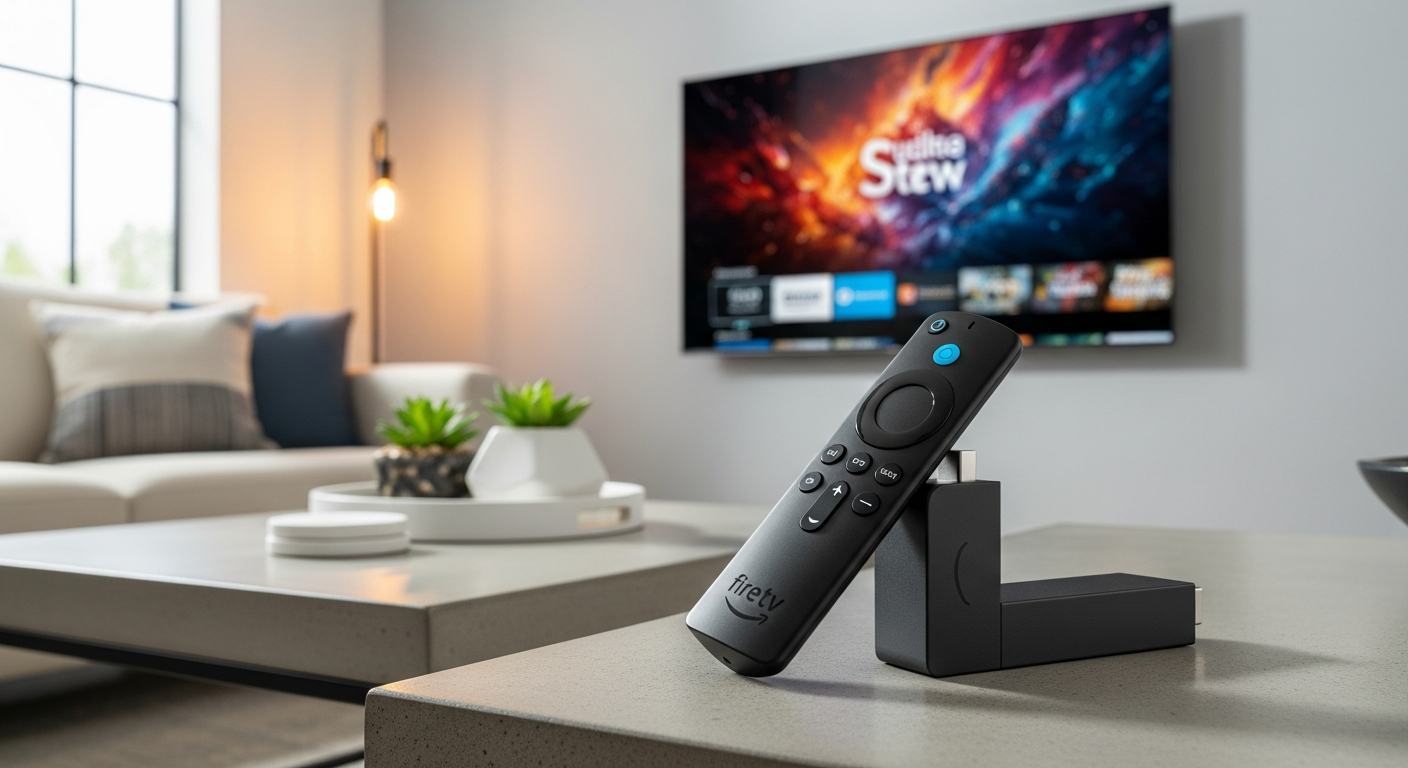
The Amazon Fire TV Stick with Alexa Voice Remote represents a fundamental shift in how you interact with your television. It’s not just another streaming stick but your gateway to a connected home ecosystem where voice becomes your primary interface. Instead of hunting through menus, you simply speak your request and watch your TV respond instantly.
By the end of this guide, you’ll understand the specific voice commands that save time, how to integrate your entire smart home ecosystem, troubleshoot common connectivity issues, and determine whether this device fits your household’s unique needs. Discover why this streaming device consistently dominates best-seller lists.
Voice Command Mastery: Beyond Basic Searches
Your remote becomes powerful only when you know how to speak to it. Basic searches like “Show me action movies” get you started, but the real magic emerges when you master the commands that actually save time.
Essential voice commands for launching apps and searching content
Launch Netflix with “Alexa, open Netflix.” Search across platforms using “Alexa, find movies with Tom Hanks.” The Fire TV Stick searches multiple streaming services simultaneously, displaying results so you see exactly which subscription offers each title. This eliminates the frustrating process of checking each app individually.
Advanced Alexa commands for playback control
“Alexa, pause” stops playback instantly. “Alexa, skip forward 10 minutes” jumps you past opening credits. “Alexa, volume up” adjusts sound without touching a button. These commands work regardless of which app you’re using, creating a consistent interface across all your content.
Voice-activated content discovery using natural language
Say “Show me action movies from the 90s” and Alexa understands context. You can request “Documentaries about space” or “Comedies under 90 minutes” without any special syntax. The Fire TV Stick interprets natural speech patterns rather than requiring exact command structures.
Using voice commands to switch between apps without touching the remote
Transitioning from Netflix to YouTube requires only “Alexa, open YouTube.” This hands-free app switching becomes especially valuable when you’re managing multiple profiles or households that share the same device.
Smart home device control directly from your TV remote
“Alexa, turn on the living room lights” activates compatible Alexa-enabled devices without switching apps or devices. You can control smart plugs, thermostats, and security cameras while continuing to watch your show.
Creating custom voice routines that trigger multiple actions simultaneously
Set up a “Movie time” routine that dims the lights, closes the blinds, and switches to your streaming app with a single command. These automation sequences transform your TV into the control center for your entire living environment.
Troubleshooting voice recognition issues and improving accuracy
Voice recognition struggles in noisy environments, but you can improve accuracy by speaking clearly and adjusting Alexa’s microphone sensitivity in settings. Keep your remote pointed at the TV for optimal performance, as the microphone works best with direct line-of-sight to the device.
Building Your Connected Home Ecosystem
The true power of Fire TV Stick emerges when you integrate it with other smart home devices. Your television becomes the central hub where entertainment and home automation converge.
Integrating Fire TV Stick with compatible smart home devices
Connect Echo speakers, Alexa-enabled lights, smart plugs, and other compatible devices through the same Amazon account. The Fire TV Stick becomes a control point for your entire ecosystem without requiring a separate hub.
Managing multiple smart home devices from a single interface
The Alexa app on your Fire TV Stick displays all connected devices. You can control any device without leaving your entertainment experience or switching to a mobile app.
Voice control for IoT devices while watching TV without app switching
Request temperature adjustments, activate security cameras, or control smart locks directly from your Fire TV remote. The voice command system recognizes device names and responds instantly.
Setting up automation routines that work across your entire home
Create sequences where arriving home triggers welcome lighting, news briefings, and music. Bedtime routines can simultaneously turn off devices, lock doors, and adjust temperatures.
Connecting security cameras and doorbell feeds to your TV display
Alexa-enabled Ring doorbells and compatible security cameras can display live feeds on your television. Say “Alexa, show the front door camera” to instantly see who’s at your entrance.
Controlling smart thermostats and climate settings through voice commands
“Alexa, set the temperature to 72 degrees” adjusts your smart thermostat without moving. Seasonal automation can gradually shift temperatures based on time of day and household activity patterns.
Syncing entertainment with ambient lighting and room settings
Advanced routines can dim lighting and adjust color temperature while you’re watching movies, creating a theater-like experience that responds to what’s playing on your screen.
Streaming Performance & Technical Specifications Explained
Understanding the technical foundation helps you appreciate what makes the Fire TV Stick perform so reliably.
Full HD 1080p streaming at 60 fps: what this means for your viewing experience
Full HD delivers 1920×1080 pixel resolution, which looks sharp on most television sizes up to 55 inches. Sixty frames per second means motion appears fluid whether you’re watching sports, action sequences, or scrolling through menus.
Wi-Fi 5 (802.11ac) connectivity and why it matters for buffer-free streaming
Wi-Fi 5 provides significantly faster wireless speeds than older standards. This faster connectivity enables the Fire TV Stick to stream HD content reliably while allowing other household devices to maintain strong connections.
Quad-core processor performance: app launch speeds and navigation responsiveness
The quad-core processor handles app launches in seconds and keeps navigation snappy when browsing your content library. You won’t experience the sluggish menu navigation that plagued older streaming devices.
8 GB internal storage: managing apps, games, and downloaded content
Eight gigabytes provides sufficient space for your essential apps and occasional game downloads. However, if you download many apps or want extensive offline content, storage management becomes necessary.
Dolby Atmos audio support and how to access it on compatible content
Dolby Atmos creates immersive three-dimensional sound on compatible systems. Selected Netflix shows, Prime Video content, and movies support this format, requiring compatible speakers or soundbars to fully experience the technology.
Comparing Fire TV Stick models (Lite vs. Standard vs. 4K) for your specific needs
The Lite model provides excellent value for basic streaming. The Standard model adds Wi-Fi 5 and slightly improved performance. The 4K model supports ultra-high-definition resolution and requires a 4K television to benefit from its capabilities. Learn which model fits your TV and streaming habits.
Bandwidth requirements for different streaming qualities and multi-room setups
Netflix Full HD requires approximately 5 Mbps per stream. Multiple simultaneous streams demand faster internet connections. If you’re running multiple Fire TV Sticks in different rooms, verify your bandwidth before assuming your connection can handle it.
Maximizing Your Content Library Across Platforms
The Fire TV Stick supports virtually every major streaming service, creating a unified entertainment hub.
Comprehensive streaming app compatibility
Netflix, Prime Video, Disney+, YouTube, HBO Max, Hulu, and hundreds of other services integrate seamlessly. The Fire TV Stick functions as a universal remote for your entire digital entertainment collection.
Accessing free ad-supported streaming services through Fire TV
Pluto TV, Tubi, and Freevee offer free content with advertisements. These services expand your entertainment options without additional subscription costs.
Organizing and personalizing your home screen
Customize your home screen by pinning frequently-used apps and rearranging sections. You can remove content you don’t watch and prioritize applications that matter to your household.
Using voice search to find content across multiple subscription services simultaneously
Alexa searches across all your installed apps at once, showing you exactly which service carries each show. This eliminates the tedious process of checking each app individually to locate content.
Managing multiple user profiles and parental controls
Create separate profiles for family members with customized recommendations and age-appropriate content restrictions. Parental controls prevent unauthorized access to mature content.
Downloading content for offline viewing on compatible apps
Netflix, Prime Video, and other services allow downloading specific shows and movies. This feature proves invaluable for travel or situations where your internet connection becomes temporarily unavailable.
Cross-device synchronization with other Amazon devices
Your watch history, recommendations, and personalized settings sync across all your Amazon devices. Resume watching on your phone exactly where you left off on your TV, and vice versa.
Portability & Flexibility for Every Living Situation
The Fire TV Stick’s compact form factor makes it ideal for households that value flexibility.
Compact design advantages for renters and frequent movers
Unlike built-in smart TV systems, the Fire TV Stick remains fully portable. Renters can take their entertainment system when they move without leaving the property or losing their setup.
Connecting to multiple TVs without additional purchases
You don’t need multiple Fire TV Sticks for different televisions if you move it between rooms. However, many households find that the low price point makes owning multiple devices worthwhile for convenience.
Travel-friendly setup for hotels, vacation homes, and temporary stays
Pack the Fire TV Stick when traveling and connect it to any hotel television. Your apps, profiles, and preferences travel with you, creating a familiar entertainment experience anywhere.
Power requirements and cable management solutions
The device requires a micro-USB power adapter and HDMI connection. Most televisions have available HDMI ports, though HDMI extenders solve conflicts if your TV placement makes connection difficult.
HDMI compatibility across different TV generations and brands
The Fire TV Stick works with virtually any television manufactured in the last decade. Even older TVs with HDMI ports will support the device without compatibility issues.
Extending connectivity with HDMI extenders and cable solutions
If your TV’s HDMI ports are positioned inconveniently or occupied by other devices, HDMI extension cables move the Fire TV Stick to a more accessible location.
Setting up multiple Fire TV Sticks in different rooms for whole-home entertainment
Many households deploy separate Fire TV Sticks throughout their home. Each device operates independently while remaining connected to the same Amazon account for synchronized profiles and recommendations.
Real-World Limitations and Honest Trade-Offs
Understanding the Fire TV Stick’s constraints helps you determine if it matches your expectations.
Storage constraints when downloading multiple apps and games
Eight gigabytes provides enough space for your essential apps, but users who want dozens of games or extensive offline content will encounter limitations. Uninstalling rarely-used apps becomes necessary.
Amazon content prioritization in the interface and search results
The interface prominently displays Prime Video content. Amazon owns the platform, and their algorithmic recommendations naturally favor their own services. This isn’t deceptive—it’s simply the reality of the device’s business model.
4K streaming limitations on standard models
The standard Fire TV Stick outputs Full HD only. If you own a 4K television and want ultra-high-definition streaming, you’ll need the 4K-specific model, which costs more.
Audio format support variations across different content sources
Not all audio formats are supported across all sources. Dolby Atmos requires specific hardware and compatible content. Standard audio works universally.
Occasional voice recognition challenges in multilingual households
If multiple languages are spoken regularly, Alexa’s voice recognition may occasionally misunderstand requests or struggle to distinguish between speakers. Adjusting microphone sensitivity and speaking clearly improves performance.
Performance differences between Lite and premium models
The Lite model performs admirably for standard streaming but exhibits slightly slower app launches than premium variants. This difference is noticeable but not debilitating for most users.
When to consider upgrading to higher-end Fire TV devices
If you stream 4K content regularly, want maximum processing speed, or seek expandable storage, Fire TV Cube or more advanced models warrant consideration. For standard Full HD streaming, the original Fire TV Stick remains exceptional.
Value Proposition and Cost-Benefit Analysis
The Fire TV Stick’s price point makes advanced streaming functionality accessible to nearly every household.
Price range breakdown (€29.99–€49.99) and what you get at each tier
The €29.99 Lite model provides essential streaming functionality. Standard models at €39.99 add Wi-Fi 5. Premium variants reach €49.99 with enhanced processors. Each tier delivers impressive functionality for its respective price.
Comparing Fire TV Stick costs against cable subscriptions and other streaming devices
Cable subscriptions often exceed €100 monthly. The Fire TV Stick costs less than a single month of cable while providing access to dozens of streaming services. Competitive streaming devices like Roku or Apple TV cost significantly more.
Hidden savings through Prime Video integration and exclusive content
Amazon Prime membership includes Prime Video streaming. If you already subscribe for two-day shipping, you’re accessing the Fire TV Stick’s most valuable feature at no additional cost.
Long-term value through regular software updates and feature additions
Amazon continuously updates the Fire TV Stick with new features and performance improvements. Your investment remains relevant and functional for years without additional costs.
Warranty coverage and customer support quality
Amazon provides standard warranty coverage and responsive customer support. Technical issues typically get resolved through straightforward troubleshooting.
Seasonal sales and promotional opportunities for maximum savings
Black Friday, Prime Day, and holiday sales frequently discount Fire TV Sticks. Buying during these periods saves 20-40% off regular pricing.
ROI calculation for families with multiple streaming subscriptions
Families maintaining three or more streaming subscriptions recoup their Fire TV Stick investment within a single month through convenience and unified access.
Setting Up and Optimizing Your First Experience
Getting your Fire TV Stick operational takes just minutes, and optimization maximizes performance.
Unboxing and initial hardware setup (HDMI, power adapter, network connection)
Remove the device from its box and plug in the power adapter. Insert the HDMI connector into your television’s available port and power on your TV. The device initiates setup immediately.
Connecting your Amazon account and personalizing settings
Follow on-screen prompts to sign into your Amazon account. The device automatically synchronizes your preferences and download history.
Downloading and organizing your essential streaming apps
Navigate to the Appstore and install your most-used services. Organize your home screen by pinning frequently-accessed apps.
Configuring Alexa preferences and voice recognition settings
Access Settings to enable voice purchasing safeguards, adjust microphone sensitivity, and set language preferences. These customizations improve the voice experience for your household.
Network optimization for consistent streaming performance
Place your router within reasonable proximity of the Fire TV Stick. If signal strength is weak, relocate your router or use a Wi-Fi extender to boost connectivity.
Updating firmware and enabling automatic updates
Check for available software updates immediately after setup. Enable automatic updates to receive performance improvements and new features without manual intervention.
Customizing the home screen layout and app shortcuts
Arrange apps according to your viewing habits. Remove apps you never use to reduce clutter and improve navigation speed.
The Smart Home Integration That Changes Everything
The Fire TV Stick functions as more than an entertainment device—it becomes your smart home command center.
How Alexa on Fire TV Stick differs from standalone Echo devices
The Fire TV Stick’s Alexa integration prioritizes entertainment and visual displays. Echo devices are primarily audio-focused. Together, they create a more comprehensive smart home system than either device alone.
Creating voice commands that control entertainment and smart home simultaneously
Build a “Movie time” routine that dims lights, closes blinds, and launches your streaming app with a single command. These integrated sequences blur the line between entertainment and home automation.
Using drop-in features to communicate across rooms
Drop-in allows real-time intercom communication with other compatible devices. Announce dinner time to your family without shouting across the house.
Integrating with Ring doorbells and Alexa-enabled security systems
Ring doorbell video displays on your television when someone presses the button. You can see visitors and communicate with them directly from your couch.
Displaying live camera feeds on your TV through voice activation
Request live camera feeds from any compatible security camera system. “Alexa, show the backyard camera” displays footage instantly on your television.
Automating entire scenes (movie mode, bedtime, away mode) with one command
Create complex automation sequences that simultaneously adjust multiple devices. “Alexa, activate movie mode” executes lighting, audio, and climate adjustments automatically.
Future-proofing your setup with compatible devices
Amazon’s ecosystem continues expanding. Devices you purchase today remain compatible with tomorrow’s innovations, protecting your investment.
The Bottom Line: Why This Streaming Device Deserves Your Attention
The Amazon Fire TV Stick with Alexa Voice Remote isn’t just a streaming device—it’s a control hub that fundamentally changes how you interact with entertainment and your home. Whether you’re a cord-cutter tired of complex remotes, a smart home enthusiast building a connected living space, or someone who simply wants to upgrade their TV experience without breaking the bank, this device delivers exceptional value.
The €29.99–€49.99 price point removes the barrier to entry that kept advanced streaming out of reach for so many households. You’re not sacrificing quality for affordability; you’re accessing genuinely sophisticated technology at a consumer-friendly price. Regular software updates mean your investment stays relevant, and the seamless integration with Amazon’s ecosystem creates a compound effect—the more you use it, the more useful it becomes. Your voice becomes your remote. Your television becomes your command center. Your entertainment library expands exponentially.
Ready to transform your living room? Start with the essential voice commands, gradually integrate your smart home devices, and experience the freedom of hands-free control. Get your Amazon Fire TV Stick today and join millions of households who’ve already made the upgrade.