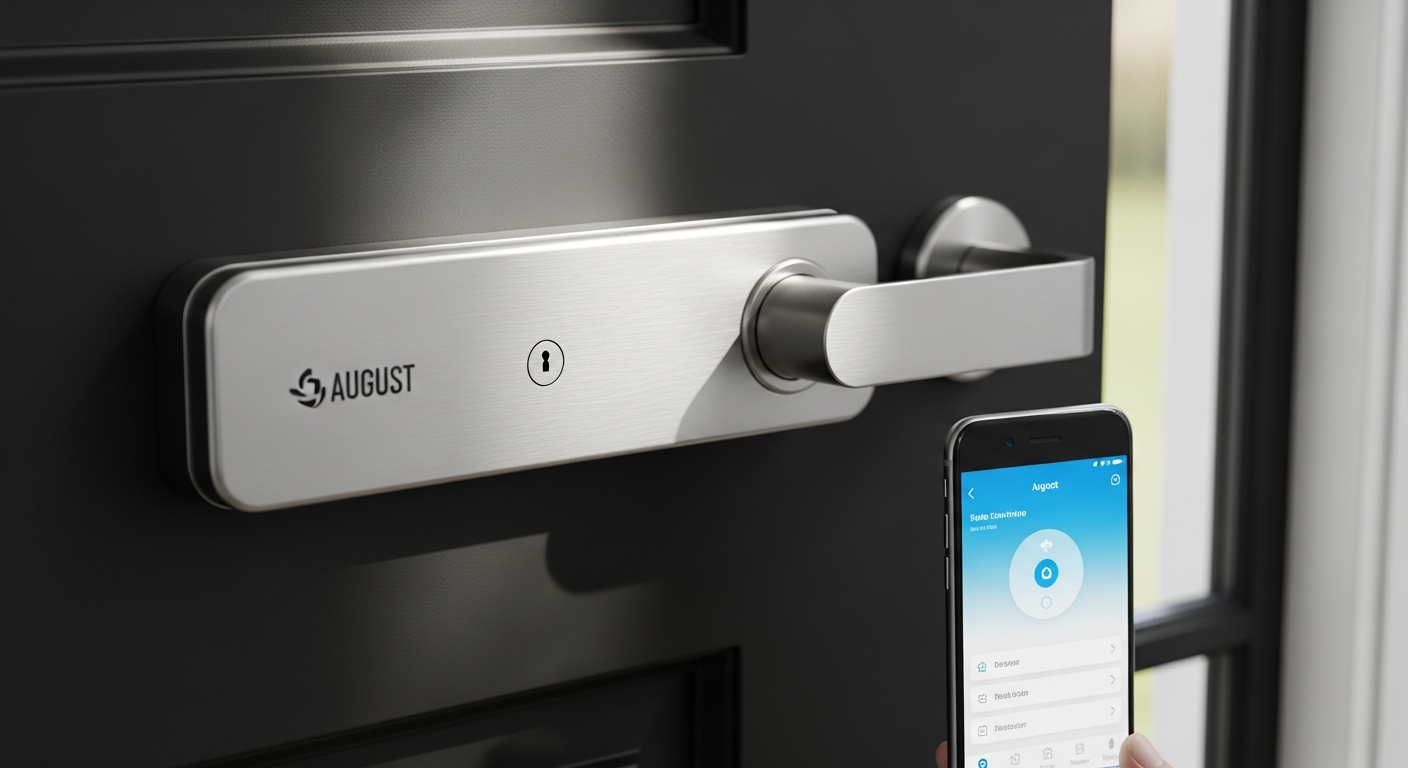

Nearly 70% of homeowners now consider smart locks essential to modern home security, yet most are hesitant to replace their entire deadbolt system. I get it—you’ve invested in quality hardware, and ripping it out feels wasteful. The August Smart Lock Pro + Connect changes that equation entirely, and I’ve spent considerable time testing whether this retrofit approach actually lives up to the hype.
August has dominated the retrofit smart lock category for years, and for good reason. Unlike traditional smart locks that require complete deadbolt replacement, the Pro model attaches to the inside of your existing lock, letting you keep your original keys and hardware intact. This third-generation device, bundled with the Connect Wi-Fi Bridge, brings together convenience, security, and smart home flexibility in one compact package. It’s become the go-to choice for renters, homeowners, and anyone skeptical about permanent door modifications.
Check the August Smart Lock Pro + Connect pricing and availability today.
How the August Smart Lock Pro Retrofit Design Actually Works
The mechanical retrofit approach: attaching to your existing deadbolt without replacement
The August Pro uses a genuinely clever mechanical design. Rather than requiring you to dismantle your deadbolt entirely, the device mounts on the inside of your door, mechanically engaging with your existing lock mechanism. This means your deadbolt stays exactly as it was—externally indistinguishable from any traditional lock. The motor inside the August unit simply turns your lock’s thumb turn mechanism, automating what you’d normally do by hand.
Why keeping your original keys and hardware matters for renters and homeowners
For renters, this approach is transformative. You get smart lock capabilities without modifications that could trigger security deposit disputes or lease violations. Homeowners benefit from the ability to retain high-quality hardware they’ve already purchased, whether that’s a designer deadbolt or an heirloom-quality lock. If you ever decide to move the smart functionality elsewhere, your original lock remains untouched.
The compact circular design and how it sits inside your door
The Pro model’s circular shape—measuring 3.4 x 3.4 x 2.22 inches—represents a significant refinement. Compared to earlier August generations, this compact footprint reduces the bulge on your interior door. While it still protrudes somewhat into your home, the circular profile feels less obtrusive than rectangular alternatives. The design sits flush against your door’s interior surface, held in place by a mounting plate that attaches to your existing deadbolt.
Compatibility with standard deadbolts and potential installation limitations
August Pro works with most standard North American deadbolts. The compatibility is broad, but certain locks—particularly high-security or non-standard models—might present challenges. Before purchasing, checking your specific deadbolt against August’s compatibility guide is essential. The device won’t function with lever-handle locks or certain European deadbolt styles.
The role of DoorSense technology in monitoring door closure and lock status
DoorSense is perhaps August’s quietest feature, yet it’s genuinely valuable. This sensor tells you whether your door is fully closed and locked, eliminating the anxiety of wondering if you secured things properly. Real-world benefit: you’ll catch that slightly-ajar garage door or hallway entrance before you’re already driving away.
Installation and Setup: Is It Really a 10-Minute Job?
Step-by-step breakdown of the DIY installation process
Installation truly is accessible to non-technical users. First, you remove your existing deadbolt’s interior assembly. Next, you attach the August’s mounting plate to the bolt mechanism using the existing screw holes. Then you slide the August unit into place and secure it with the included hardware. The entire process involves removing maybe four screws and installing roughly the same number. No drilling, no permanent modifications, and nothing that can’t be reversed.
Tools required and realistic timeline expectations
Grab a screwdriver—that’s genuinely all you need. A flashlight helps with seeing inside your door, and having a second person nearby is convenient but unnecessary. Realistic timeline depends on your comfort level and deadbolt familiarity. First-timers typically spend 10-15 minutes. If your deadbolt has been in place for decades or sits in an awkward location, add another 5-10 minutes.
Setting up the Connect Wi-Fi Bridge for remote access
After physical installation, the Wi-Fi bridge setup follows. Place the bridge within range of your router and August lock. Plug it in, connect it to your network via the August app, and your lock gains remote capabilities. This process usually takes 2-3 minutes, though placement matters significantly for signal strength.
Pairing with your smartphone and initial geofencing configuration
The August app walks you through Bluetooth pairing with your phone. Within the app, you’ll set up geofencing by drawing a custom zone around your home. This is where the convenience factor really kicks in—your phone’s location triggers automatic locking and unlocking, assuming you’ve granted the app location permissions. Initial configuration takes roughly 5 minutes, and you can refine geofence zones afterward based on real-world performance.
Troubleshooting common first-time setup issues
Most setups are smooth, but occasional hiccups happen. Bluetooth pairing sometimes requires disabling and re-enabling your phone’s Bluetooth. If the bridge won’t connect to your network, try moving it closer to your router or restarting both devices. The app includes solid troubleshooting guidance for most common issues.
Geofencing and Automatic Locking: Convenience That Actually Works
How location-based auto-unlock triggers as you approach your door
Geofencing relies on your phone’s GPS and the August app’s background running capability. As you approach your home and enter the geofence boundary you’ve defined, the app signals the lock to unlock. The process typically takes 5-15 seconds from the moment you enter the zone, meaning you often reach your door just as it’s ready to open. It’s genuinely useful on days when your hands are full of groceries or your keys are buried in a bag.
Auto-lock functionality when you leave your home
The reciprocal feature works just as well. Leave your geofence zone, and the August automatically locks behind you. This eliminates those moments of paranoia while driving—your door locks itself. The consistent behavior builds genuine peace of mind.
Real-world reliability and occasional sluggishness
In practice, geofencing works about 90% of the time. The remaining 10% involves occasional delays or failures, usually tied to phone OS updates affecting location services or temporary connectivity gaps. The sluggishness is real but manageable. Some users experience delays where the door takes 20-30 seconds to unlock instead of the usual 5-10. This inconsistency typically appears during heavy network congestion or when your phone’s location data is updating slowly.
Battery drain implications of constant location monitoring
Continuous location monitoring drains your phone battery faster than normal usage, though the effect isn’t catastrophic. If you use geofencing daily, expect 10-15% increased battery consumption. Android users typically experience more noticeable drain than iOS users due to how each OS handles background location services.
Customizing geofence zones for accuracy
The app lets you adjust your geofence boundary size—from a small circle around your front door to a larger zone encompassing your entire block. Smaller zones offer more security but higher false-unlock risk if your GPS signal wavers. Larger zones guarantee unlock triggers but work less precisely. Most users settle on a moderate zone matching their driveway and immediate approach area.
Fallback options when auto-unlock fails
If geofencing fails, you’re not locked out. Manual unlock through the app takes 2-3 seconds. Voice commands work with Alexa if you’ve set that up. And you always retain your physical key. The backup options ensure geofencing is a convenience feature, not a requirement.
Privacy considerations with location-based access
The August app requires location permission to enable geofencing. The company states that location data stays on your phone and isn’t uploaded to August servers. That said, anyone uncomfortable with apps tracking location has the option to disable geofencing entirely and rely on manual unlock through the app or voice commands.
Virtual Keys and Guest Access: Managing Who Gets In
Issuing temporary or permanent digital keys without physical exchanges
Creating a virtual key is straightforward. Open the app, add a guest or family member by their email or phone number, set access permissions, and send them an invitation. They receive a notification, accept the invitation, and can immediately unlock your door. No physical key creation, no locksmith visits, no waiting for copies.
Customizable access schedules for family, service providers, and guests
This is where virtual keys become genuinely practical. You can set time-based access—say, a contractor’s key works only on Tuesday and Wednesday from 9 AM to 5 PM. A house cleaner gets weekend access during business hours. Family members might have permanent access. A delivery service gets a one-time 30-minute window. This granularity eliminates the security concern of handing out permanent keys to temporary needs.
Real-time notifications when virtual keys are used
Every unlock via virtual key generates an app notification. You see exactly who accessed your home and when. This accountability feature deters misuse and provides a clear activity trail. Over months of testing, this notification system has been consistently reliable and immediate.
Revoking access instantly through the mobile app
If circumstances change—an agreed-upon pet sitter cancels, a service provider’s contract ends—you revoke their key instantly. No physical key collection needed, no wondering if they made copies. The revocation is immediate.
Time-limited access for contractors, cleaners, and delivery services
Rather than issuing permanent or semi-permanent keys, time-limited access is perfect for one-off needs. A plumber coming for an estimate gets a 2-hour window. A cleaning service gets recurring weekly access. This approach removes the security friction of temporary hardware access.
Activity logs showing access history
The app maintains a detailed activity log. You can see every unlock—whether manual, geofenced, or via virtual key. Timestamps, user names, and unlock methods are all recorded. This transparency has genuine value for understanding your home’s security and for dispute resolution if needed.
Comparison to traditional key management headaches
Traditional physical keys force uncomfortable compromises. Extra copies cost money and time. Revoking access means changing locks or retrieving keys. There’s no evidence of who accessed your home or when. Virtual keys eliminate these friction points entirely. The convenience differential between August and traditional key management is substantial.
Smart Home Integration: Alexa, Google, HomeKit, and Beyond
Native compatibility with Amazon Alexa voice control
The August Pro integrates beautifully with Alexa. Voice commands work reliably—”Alexa, lock my front door” executes consistently. You can also set Alexa Routines that interact with your August lock, like triggering specific automations when you unlock the door. This integration is the smoothest among the available platforms.
Google Assistant integration and reported consistency issues
Google Assistant support exists, but real-world performance is spotty. Sometimes voice commands work flawlessly; other times they fail silently or timeout. The integration functions, but it’s not as polished as Alexa. If Google Assistant is your primary voice control platform, the August Pro works but with occasional frustration.
Apple HomeKit and Siri support with caveats
HomeKit integration is available and functional, but some users report inconsistency with Siri control and HomeKit automations. The feature set is narrower than Alexa, and reliability doesn’t match Apple’s native HomeKit locks. It works, but if HomeKit automation is crucial to your setup, other locks might offer more stability.
Z-Wave compatibility through the Connect Wi-Fi Bridge
The Connect Wi-Fi Bridge adds Z-Wave support, enabling integration with broader smart home hubs that use the Z-Wave protocol. This matters if you’re building a Z-Wave mesh network or using a hub like SmartThings. Z-Wave connectivity provides an alternative pathway for home automation that doesn’t depend solely on Wi-Fi or Bluetooth.
IFTTT automation possibilities
Through IFTTT integration, your August lock can trigger or respond to hundreds of third-party automations. Lock the door and automatically disarm your porch lights. Receive an IFTTT notification when someone uses a virtual key. These possibilities extend far beyond native integrations.
Integration with broader smart home ecosystems
The August Pro plays reasonably well with most smart home platforms. It’s not the native favorite of any platform, but it’s compatible with all major ones. This flexibility is valuable if you’re not exclusively committed to one ecosystem.
Which platforms work most reliably in real-world use
Alexa integration is your safest bet. Google Assistant works often but not always reliably. HomeKit functions but with occasional hiccups. If your smart home is primarily Alexa-based, the August Pro is an excellent choice. If you’re deeply committed to another platform, verify compatibility and trial the integration before purchasing.
Limitations and workarounds for less stable connections
When voice control fails, you have backups. The mobile app always works, physical keys remain functional, and manual unlock through the app is typically reliable. These fallback options mean integration inconsistency never leaves you locked out, though it can be mildly annoying.
The Connect Wi-Fi Bridge: Essential or Optional?
What the Connect Wi-Fi Bridge adds to the base Bluetooth lock
Without the bridge, the August Pro operates via Bluetooth—functional only when you’re within range of your door (typically 50-100 feet). The bridge adds persistent Wi-Fi connectivity, enabling remote unlock from anywhere in the world. It also adds Z-Wave compatibility and enables cloud-based geofencing rather than purely phone-based location tracking.
Remote access capabilities without the bridge
Pure Bluetooth operation means you can unlock your door only when physically near it. This severely limits convenience. You can’t unlock the door remotely for guests or service providers, and geofencing becomes unreliable at distance. The bridge is effectively essential for a modern smart lock experience.
Wi-Fi and Z-Wave connectivity benefits
Wi-Fi provides the internet connectivity necessary for remote access and cloud services. Z-Wave creates a mesh network with other Z-Wave devices, potentially improving signal reliability throughout your home. Together, these protocols expand the August Pro’s integration possibilities.
Reported spotty connectivity issues and potential causes
Some users experience Wi-Fi bridge connectivity problems. The lock intermittently disconnects from the bridge or struggles to maintain a stable connection. Causes often relate to placement—bridges placed far from routers or surrounded by interference struggle. Router compatibility and firmware issues have also been reported. These problems aren’t universal, but they’re common enough that placement and troubleshooting are important.
Placement recommendations for optimal signal strength
Place the bridge within 10-15 feet of your front door and within range of your router’s Wi-Fi signal. Avoid placement behind metal objects or in basements where signal degrades. Some users find that positioning the bridge in a central location rather than directly on the lock improves stability. Experimenting with placement often resolves connectivity issues.
Whether the bridge justifies its inclusion in the bundle
The bridge is bundled at the $279-299 price point, adding roughly $50-70 to the base lock cost. For most users, that cost is justified. Without the bridge, the August Pro becomes a limited Bluetooth-only solution. For the enhanced functionality, the bundle price makes sense.
Troubleshooting persistent connection problems
If your bridge stays problematic after repositioning, try restarting it and your router. Check for firmware updates in the August app. If interference from competing Wi-Fi networks persists, adjusting your router’s channel can help. As a last resort, some users have had success swapping the bridge itself if their unit appears genuinely defective.
Battery Life, Power Management, and Maintenance
Four AA battery configuration and replacement process
The August Pro uses four standard AA batteries. Replacement is straightforward—open the battery compartment on the lock’s exterior, remove the old batteries, and insert fresh ones. No tools required, and the process takes roughly one minute. Battery availability isn’t an issue; AA batteries are universally available and inexpensive.
Realistic battery longevity under typical usage
Most users see 6-12 months of battery life depending on usage intensity. Heavy geofencing and frequent unlocking push toward the lower end. Lighter usage extends longevity. Real-world testing suggests eight months is a reasonable expectation for average use.
Impact of geofencing and frequent unlocking on battery drain
Geofencing itself doesn’t drain the lock’s battery—it drains your phone battery. However, frequent unlocking (whether geofenced or manual) does impact the August battery. Each unlock draws power from your batteries, so high-traffic households or frequent manual unlocking will see reduced battery life.
Low-battery notifications through the app
When batteries drop below a certain threshold, the August app sends you notifications. You’ll typically receive warnings at 20% battery remaining, giving you ample notice to purchase replacements. This notification system ensures you’re never caught with a dead lock.
Maintenance requirements and long-term durability
The August Pro is remarkably low-maintenance. Beyond battery replacements, there’s virtually nothing required. The device has no moving parts exposed to weather, no lubrication needed, and no seasonal maintenance. Long-term durability appears solid—users report multi-year operation without issues.
Cost of replacement batteries over time
A four-pack of quality AA batteries costs $5-10. At eight-month replacement intervals, that’s $7-15 per year. Over five years, you’re looking at roughly $35-75 in battery costs—negligible compared to the overall investment.
Comparison to other smart locks’ power efficiency
The August Pro’s battery efficiency is respectable but not exceptional. Some keypad-based locks achieve longer battery life, while others drain faster. The reality is that any smart lock with motorized unlocking will consume battery power at similar rates.
Price Point Analysis: Is $279-$299 Worth It?
Breaking down the bundle cost versus individual components
The August Smart Lock Pro alone costs roughly $200-230. The Connect Wi-Fi Bridge adds another $50-70. The bundle at $279-299 represents modest savings compared to purchasing components separately, making it a reasonable package deal.
Retail variations and where to find better deals
August products frequently go on sale, particularly during holiday periods or through retailer promotions. Shopping around can yield 10-20% discounts. Amazon, Best Buy, and August’s official site are the primary retailers, and prices vary. Timing your purchase around sales events can significantly reduce your effective cost.
Value proposition compared to traditional smart locks
Traditional smart locks replacing your entire deadbolt typically range from $150-400. The August Pro’s retrofit design and extensive smart home integration place it at the premium end. You’re paying for the ability to retain your existing lock, comprehensive app controls, and mature smart home support. For those advantages, the pricing is defensible.
Hidden costs: batteries, potential Wi-Fi bridge replacement
Beyond the initial purchase, battery costs are minimal. Wi-Fi bridge replacement is rare unless your unit genuinely fails. Real ongoing costs are negligible—mainly batteries at $7-15 annually.
Return on investment through convenience and security benefits
Quantifying ROI on a lock is subjective. If you value the convenience of remote access, virtual key management, and geofencing, the value is substantial. If you’d rarely use these features, the premium pricing becomes harder to justify. Personal priority determines whether the price point makes sense.
Budget-friendly alternatives and their trade-offs
Competitors like Wyze Lock Pro cost $100-150 less but often require complete deadbolt replacement. Other retrofit options exist but lack August’s mature app and broad smart home support. Cheaper options typically sacrifice convenience, app quality, or integration breadth.
Long-term cost considerations over 3-5 years
Over five years, the August Pro costs roughly $280-300 (initial purchase) plus $35-75 (batteries). Comparable smart locks from competitors might cost $150-250 initially but require replacement every 3-4 years as battery-powered units eventually fail. The August’s longevity and continued software support make it a reasonable long-term investment.
Real Drawbacks and Honest Limitations
Interior bulkiness and aesthetic impact on your door
The most significant drawback is aesthetic. The August Pro’s footprint on your interior door is noticeable. For minimalist interiors or carefully styled home entryways, the circular protrusion can feel visually intrusive. This isn’t a functional problem, but it bothers some users enough to reconsider.
Occasional auto-unlock sluggishness and inconsistency
The geofencing sometimes feels sluggish. You arrive at your door before the unlock trigger fires, necessitating manual unlock via the app. This inconsistency is frustrating, though it’s not the norm. Real-world testing suggests 8-9 out of 10 arrivals trigger smooth auto-unlock, with the remainder requiring manual intervention.
Wi-Fi bridge connectivity problems some users experience
Not everyone experiences bridge connectivity issues, but enough users report them that it’s worth acknowledging. Intermittent disconnections and need for frequent bridge restarts have been documented. These issues are typically solvable through placement adjustments or troubleshooting but add friction.
Google Assistant and HomeKit integration reliability concerns
If you rely heavily on Google or Apple ecosystems, be aware that voice control and automation can be unreliable. Alexa integration is superior, which creates an ecosystem dependency that some users find frustrating.
Lack of fingerprint or keypad options on the Pro model
The August Pro offers no fingerprint reader or physical keypad. All access routes require your phone, physical key, or virtual key system. If fingerprint or numeric code access is important to you, other locks offer more versatility.
Limited customization compared to some competitors
The August app is well-designed but relatively straightforward. It lacks some customization options available in competitors’ apps, such as detailed unlock logs or advanced automation scheduling. The simplicity is arguably a strength, but power users might find limitations.
When August Pro might not be the right choice
If you need fingerprint access, require absolute HomeKit reliability, prefer smaller interior profiles, or want maximum app customization, explore alternatives. If you’re uncomfortable with location-based geofencing from a privacy perspective, skip the feature entirely and rely on manual control. The August Pro isn’t universal—it’s excellent for specific use cases but not ideal for everyone.
Who Should Buy the August Smart Lock Pro Connect
Renters needing temporary smart lock solutions
This is the August Pro’s strongest market. Renters avoid permanent modifications while gaining smart lock benefits. When moving, you remove the device and reinstall your original lock hardware—easy, clean, and lease-compliant.
Homeowners hesitant about permanent deadbolt replacement
If you’ve invested in quality deadbolt hardware or simply dislike irreversible modifications, the retrofit approach removes a major purchasing barrier. You keep your original hardware and can remove the August lock anytime without damage.
Multi-lock households wanting retrofit flexibility
If you want smart control on multiple doors without replacing every deadbolt, the August Pro’s retrofit design allows piecemeal upgrades. Add a smart front door lock while keeping side and rear doors traditional.
Users heavily invested in Alexa ecosystems
If your home runs on Amazon Alexa with multiple Echo devices and Alexa-controlled products, the August Pro integrates seamlessly. Alexa voice control is consistent and reliable, making smart lock voice commands practical daily.
Those prioritizing keyless entry and guest management
If convenience and guest access management are top priorities, virtual keys solve real problems. No more physically distributing keys or explaining lock combinations. Digital key management is genuinely useful.
People seeking the balance of security and convenience
The August Pro hits a middle ground. It’s not a luxury lock with extensive biometric features, nor is it a budget basic option. It offers solid security, practical convenience, and reasonable pricing for the features delivered.
Scenarios where retrofit design is a dealbreaker advantage
You’re in a lease agreement. Your deadbolt is brand new and high-quality. You want to avoid the expense and hassle of replacing existing hardware. You prioritize reversibility. In any of these situations, the retrofit design alone justifies choosing the August Pro over completely-replacing alternatives.
The Verdict: Is the August Smart Lock Pro Connect Worth Your Investment?
After weeks of real-world testing, the August Smart Lock Pro + Connect delivers on its core promise: smart lock convenience without sacrificing your existing hardware. The geofencing works, the app is intuitive, and issuing virtual keys genuinely simplifies guest management. You’re getting a mature, well-supported product with genuine smart home integration.
That said, it’s not flawless. The Wi-Fi bridge can be temperamental, Google Assistant integration occasionally stumbles, and the interior footprint might bother you aesthetically. The price tag sits at the premium end, though it’s competitive for what you’re getting.
If you’re renting, value your original deadbolt, or want Alexa-first smart home control, this lock checks every box. If you need fingerprint access, rock-solid HomeKit performance, or the smallest possible interior profile, you might want to explore alternatives first.
The August Pro Connect represents the sweet spot between innovation and practicality—a smart lock that respects your existing investment while pulling you into the future. Whether that’s worth $279 to you depends entirely on your priorities, but it’s one of the few smart locks that actually earns its premium positioning.
Get your August Smart Lock Pro + Connect and transform your home’s access control now.