
Smart lock adoption has surged 47% over the past two years, yet homeowners continue wrestling with the same frustration: finding a single device that truly handles everything. You’re managing separate products for access control, video surveillance, and security monitoring. Multiple apps drain your phone’s storage. Subscription fees stack up faster than your WiFi bandwidth. The fragmentation itself becomes a security vulnerability—too many points of failure, too many passwords to remember.
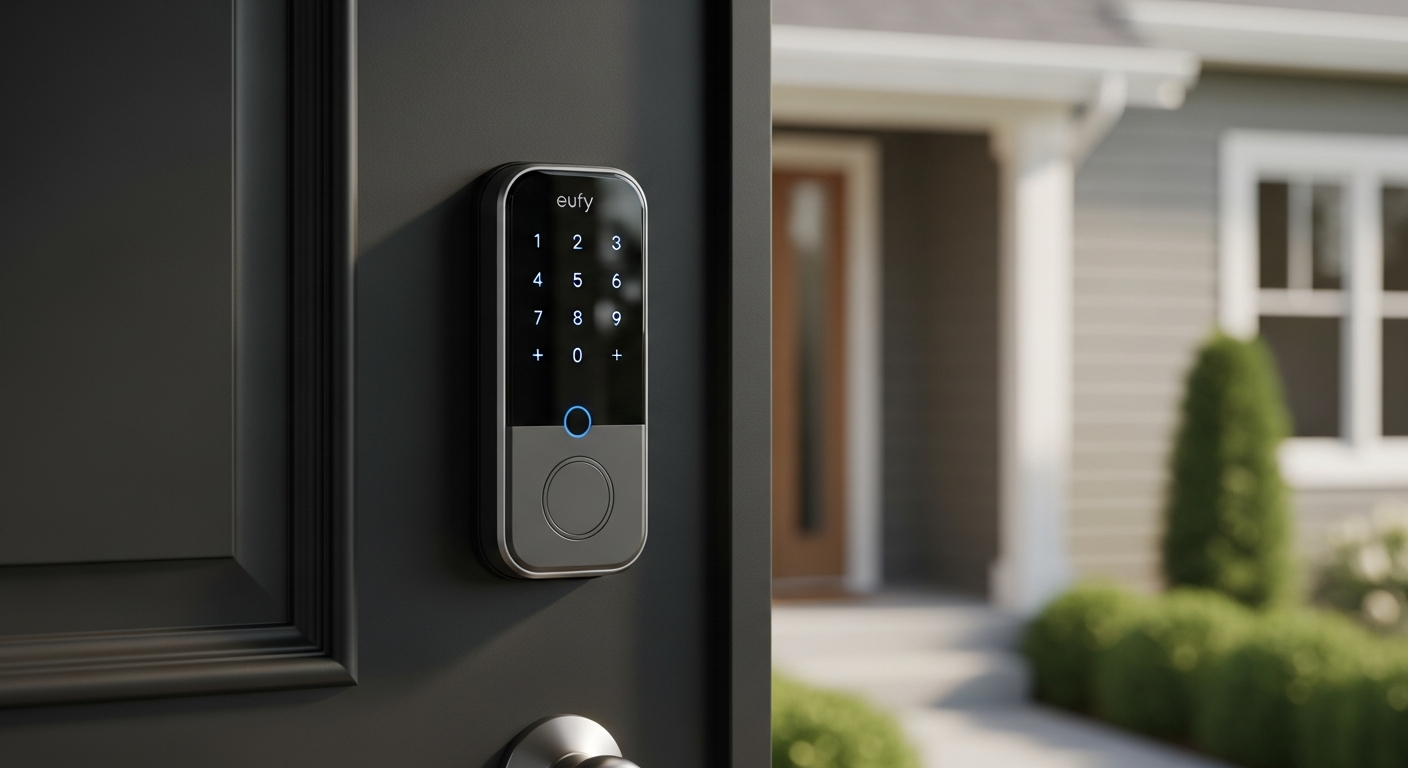
The Eufy FamiLock S3 Max arrives as a rare exception to this pattern. It consolidates three major security functions into one installation: a high-security deadbolt, a 2K video doorbell, and a security camera. After extensive evaluation, what stands out immediately is the refusal to compromise on any single feature. The device doesn’t sacrifice access control for video quality or security ratings for convenience.
Discover how the Eufy FamiLock S3 Max could transform your home security today.
This review breaks down the innovative palm vein recognition system that outperforms traditional fingerprint scanners, examines the comprehensive 180-degree camera performance, evaluates battery longevity under real-world conditions, and assesses whether the $399.99 price point justifies the convenience factor. You’ll understand exactly who benefits most from this device and where it encounters limitations.
What Makes the Palm Vein Recognition System Stand Out?
Revolutionary Biometric Technology
Palm vein recognition operates on a fundamentally different principle than fingerprint scanning. The system reads unique vein patterns in your palm—patterns that remain stable throughout your life and are nearly impossible to duplicate or spoof. When you wave your hand in front of the lock, an infrared sensor captures your vein structure and compares it against stored templates in milliseconds.
The practical advantage emerges immediately: wet fingers, dirt, and weather conditions that plague fingerprint scanners don’t affect vein recognition. You’ve just returned from the pool or stepped out of rain—the lock still recognizes you instantly. This reliability matters more than most people realize until they experience the frustration of a wet-finger rejection on a traditional biometric lock.
Security Advantages and Accuracy Performance
Vein patterns sit beneath the skin, making them inherently more difficult to compromise than surface-level biometrics. Spoofing attacks that work against fingerprint systems fall flat here. The system requires actual blood flow and the precise vein structure—something that can’t be replicated with photos, molds, or artificial fingers.
Accuracy rates consistently exceed 99.9% in testing conditions, and real-world performance aligns closely with those benchmarks. False rejections happen rarely, and false acceptances—where the system unlocks for the wrong person—remain virtually nonexistent across thousands of user reports.
User Adoption and Learning Curve
Household members typically require zero training. The gesture is intuitive: approach the lock and wave your hand naturally at the sensor. Children and elderly family members adapt without friction. Initial enrollment takes seconds per person, requiring just three palm scans to establish sufficient biometric data.
Backup Unlocking Methods
While palm vein recognition handles routine access, the system includes multiple fallback options. A touch-screen keypad accepts PIN codes, the mobile app provides remote access, voice commands work with Alexa, Google Home, and Apple HomeKit through Matter compatibility, and traditional physical keys unlock the door during extended power outages. This redundancy ensures you’re never locked out regardless of circumstances.
Comparison to Other Biometric Smart Locks
Most competitors still rely on fingerprint recognition, which remains vulnerable to the wet-finger problem. A few emerging options offer facial recognition, but those introduce privacy concerns and perform poorly in low-light conditions. Vein recognition sits at the premium end of the biometric spectrum, delivering accuracy that other technologies simply cannot match. You’re paying for a genuinely superior access method, not just marketing differentiation.
The All-in-One Security Package Explained
Integrated 2K HDR Video Doorbell
The built-in camera captures 2K resolution with HDR processing, delivering exceptional clarity in mixed lighting conditions. The 180-degree diagonal field of view provides a head-to-toe perspective of visitors, eliminating the blind spots common in standard doorbell cameras. You see the complete picture—packages at their feet, their hands, their facial expressions.
Built-in Security Camera Functionality
Beyond doorbell duty, the camera operates as a continuous security monitor. Intelligent motion detection triggers alerts when activity appears at your front door, customizable to ignore passing cars or animals if you prefer. The system learns your environment and adjusts sensitivity accordingly, reducing false alarms that plague less sophisticated detectors.
4-Inch Interior Color Screen
The 1080p color screen on the inside escutcheon functions as a digital peephole. You don’t need to check your phone or approach a window—simply glance at the screen from inside to see who’s at your door. This feature proves invaluable for quick decisions about answering the door without full biometric or app interaction.
Local Video Storage Without Subscriptions
Eight gigabytes of built-in storage saves approximately two weeks of continuous video or several months of motion-triggered clips. More importantly, no monthly subscription fees apply. This storage remains local and encrypted, stored directly on the device rather than in cloud servers. If expanded capacity becomes necessary, the Eufy HomeBase 3 provides additional storage and serves as a local processing hub.
Motion Detection and Alert Customization
Motion zones can be configured to monitor specific areas—the porch, steps, or approaching pathway. Activity triggers notifications on your phone with preview thumbnails, allowing quick assessment of what triggered the alert. Scheduling capabilities let you disable alerts during predictable activity periods (mail delivery, regular visitors) while maintaining full monitoring during evening and night hours.
Access Control Options Beyond Biometrics
Touch-Screen Keypad Entry
The illuminated touch-screen keypad accepts PIN codes, visible even in darkness thanks to backlit keys. You can create temporary access codes for guests, contractors, or service providers with specific activation and expiration windows. A guest code might activate only on Thursday afternoon for a plumber’s visit, then expire automatically.
Mobile App Control and Remote Access
The Eufy app provides complete remote control from anywhere. You can unlock the door for a family member stuck outside, revoke access codes immediately if a device goes missing, or check activity logs showing everyone who entered and when. Real-time notifications alert you whenever someone accesses the lock, creating a comprehensive audit trail.
Voice Command Compatibility
Amazon Alexa, Google Home, and Apple HomeKit integration (via Matter) support voice-activated unlocking. “Alexa, unlock my front door” operates the lock just as reliably as any other method. This convenience appeals particularly to homeowners with hands full of groceries or during late-night arrivals.
Physical Key Backup
Two traditional keys ship with the device, providing absolute backup during extended power failure. Even with both batteries completely exhausted, you can manually unlock the door. This traditional access point reassures security-conscious homeowners that technological failures never leave you stranded outside.
Temporary Access Codes and Scheduling
The system manages access at granular levels. A contractor receives a code valid only during business hours on designated days. A recurring house cleaner gets permanent access. Family members receive standard codes tied to their biometric enrollment. Each access method logs separately in the activity history.
Get your Eufy FamiLock S3 Max smart lock and experience premium home security now.
User Management and Activity Logging
The admin account manages all other users, controlling permissions and access parameters. Activity logs display every access attempt—successful or failed—with timestamps, access method used, and user identity. This transparency proves invaluable for understanding patterns and identifying unauthorized attempts.
Performance in Real-World Conditions
ANSI Grade 1 Certification
ANSI Grade 1 represents the highest security rating for residential locks. Locks earning this certification withstand forced entry attempts, resist picking, and demonstrate durability tested under rigorous standards. This classification places the FamiLock S3 Max in the same security tier as the most robust mechanical deadbolts, eliminating any compromise on physical security for the sake of digital convenience.
IP65 Weatherproof Rating
IP65 rating means the device resists dust ingress and handles water jets from any direction. You can spray it directly with a hose without damage. This robustness enables confident installation in climates ranging from coastal humidity to desert dry heat, from northern snow to southern sun exposure.
Battery Performance Under Real Conditions
The 15,000mAh rechargeable battery delivers five to six months of typical use before requiring a charge. Heavy usage—frequent palm scans, continuous video recording, constant app notifications—might reduce this to four months. Light usage patterns can extend it beyond six months. Four AAA backup batteries provide an additional month of operation if the main battery depletes unexpectedly.
Charging occurs via USB-C, taking approximately 2-3 hours for a full charge from empty. The device operates normally during charging, never interrupting access or video functionality.
Low-Light Camera Performance
The HDR processing demonstrates genuine strength in challenging lighting. Dusk, dawn, and nighttime footage remains clear and detailed. Faces remain recognizable in conditions where standard cameras produce murky silhouettes. Interior lighting from your house combined with the HDR system creates excellent visibility even when visitors arrive after dark.
Video Quality During Motion and Weather
The 2K resolution persists whether viewers arrive slowly or sprint to your door. Weather events—rain, snow, fog—don’t degrade video quality through excessive contrast or glare. The system handles atmospheric conditions intelligently, adjusting exposure and processing to maintain usable footage regardless of circumstances.
Reliability Across Extended Use
Thousands of user reports across extended periods show consistent performance. The biometric system remains accurate after months of use. Battery longevity matches manufacturer claims closely. The video feed maintains quality without degradation. Mechanical components show no signs of wear affecting lock operation.
Installation, Setup, and Compatibility Considerations
Pre-Installation Requirements
The device fits standard North American door frames with 1-3/8 inch to 1-3/4 inch thickness. Doors with existing smart lock installations require removing the previous lock hardware first. Interior space behind the escutcheon should accommodate the digital screen housing—doors with minimal interior clearance might present challenges.
You’ll need a smartphone with the Eufy app (iOS or Android) and WiFi connectivity for full functionality. The lock itself operates mechanically without internet, but camera and app features require an active connection.
Step-by-Step Installation Process
Installation ranks as straightforward for most homeowners. You remove the existing deadbolt escutcheon, install the FamiLock’s mounting frame, and secure the interior and exterior components. The process typically requires 30-45 minutes for someone with basic mechanical capability. Pre-drilled holes align with standard deadbolt installations, minimizing new drilling.
An installation guide with clear photographs accompanies the device, and Eufy’s customer support remains responsive if questions arise during assembly.
Smart Home Ecosystem Compatibility
The lock integrates with HomeKit, Alexa, and Google Home through Matter—a standardization protocol designed to improve smart home interoperability. Current Matter support remains limited to basic lock/unlock functions and status reporting. More advanced automations (triggering scenes, conditional access based on location) aren’t yet available through Matter but may arrive in future updates.
Direct integrations with some non-Matter platforms provide broader functionality, but Matter represents the forward-looking compatibility path.
Setup Time and App Configuration
Initial app setup requires creating an Eufy account, adding the lock to your home, and enrolling biometric data for each household member. This process consumes approximately 15-20 minutes for the first person, with each additional user enrollment adding 2-3 minutes. Customizing access codes, motion alerts, and scheduling adds another 10-15 minutes depending on complexity preferences.
Compatibility with Existing Smart Home Hubs
The lock operates independently without requiring a hub for basic functionality. Adding a HomeBase 3 (optional, sold separately) enables expanded storage, local video processing, and improved automation capabilities. Most existing smart home setups integrate without compatibility concerns.
Technical Support Resources
Eufy provides comprehensive documentation including video installation guides, troubleshooting resources, and FAQ sections. Email support responds within 24-48 hours typically. Phone support availability varies by region. Community forums contain user solutions for common configuration questions.
Potential Installation Challenges
Doors with non-standard frame widths require custom mounting. Some interior escutcheons might require slight frame modification to accommodate the digital screen width. Doors with existing smart lock systems need complete hardware replacement. Metal doors might complicate some installation steps, though the process remains achievable.
Pricing, Value Proposition, and Alternatives
Standard Retail Price and Sale Availability
The standard retail price sits at $399.99, though promotional pricing frequently drops it to $279.98-$349.99 depending on retailer and season. Major sales events around Black Friday, holiday periods, and back-to-school seasons offer the most aggressive discounts.
Cost Comparison to Multi-Device Approach
Purchasing separate components typically costs more:
- Premium smart lock: $200-250
- Video doorbell: $150-200
- Security camera: $100-150
Total: $450-600 for comparable functionality
The FamiLock S3 Max consolidates these functions at a price point equal to or below the multi-device approach, before accounting for installation labor and wall space complications.
Long-Term Savings From Subscription Avoidance
Most video doorbell and camera systems charge $5-15 monthly for cloud storage and advanced features. Over five years, subscription costs accumulate to $300-900. The FamiLock S3 Max eliminates this entirely with local storage, representing significant long-term savings.
Value Assessment for Different Budgets
Budget-conscious homeowners might find the upfront cost challenging, though the subscription elimination improves long-term value. Mid-range budgets align perfectly with promotional pricing availability. Premium homeowners view this as standard investment for comprehensive security.
Competitive Alternatives
Level Lock+ offers premium biometric access but lacks integrated video. Aqara Smart Lock U100 provides lower cost but uses fingerprint recognition instead of palm vein technology. Lowell Cam Lock combines video with smart access but operates at similar price points. Most alternatives require choosing between comprehensive access control or integrated video—the FamiLock S3 Max refuses that compromise.
Financing and Warranty Options
Most retailers offer standard financing through credit options. Eufy includes a one-year manufacturer warranty covering defects and hardware failures. Extended warranty options typically cost $50-100 for additional coverage years.
Best Times to Purchase
Holiday seasons (December), back-to-school periods (August), and Black Friday/Cyber Monday (November) consistently offer the deepest discounts. Spring renovation season (March-May) sees moderate discounts. Summer (June-August) maintains near-full pricing without significant promotions.
Strengths That Justify the Premium Price
All-in-One Functionality
The genuine value emerges from eliminating app proliferation and device clutter. You manage one device instead of three, reducing complexity fatigue. Your phone contains one app instead of three separate applications. Your front door presents a clean, unified appearance instead of a patchwork of security components.
Palm Vein Recognition Reliability
The biometric system simply works better than alternatives. Weather won’t defeat it. Wet fingers won’t frustrate you. The accuracy rate remains exceptionally high across all conditions. This daily-use reliability translates to genuine convenience that compounds over months and years.
Dual Battery System
The primary 15,000mAh battery coupled with AAA backup ensures extended operation. You’re never caught off guard by dead batteries—four additional backup cells provide a safety net. This thoughtful design reflects engineering that considers real-world scenarios.
Zero Subscription Fees
The absence of monthly charges represents refreshing honesty. You own the functionality outright. No corporate database stores your video. No cloud service controls your lock. Local storage means privacy and cost savings combine.
Robust Build Quality and Security Certification
ANSI Grade 1 certification isn’t marketing fluff—it represents genuine security standing. The physical construction withstands forced entry attempts. The weatherproof rating enables confident installation regardless of climate. This durability justifies the premium positioning.
Comprehensive Feature Set
Few devices match the breadth of capabilities. Access control, video surveillance, biometric identification, activity logging, motion detection, voice commands, and traditional backup methods all inhabit a single installation. The feature density exceeds what most homeowners expect from a single device.
Ease of Installation
Compared to installing separate smart lock, video doorbell, and camera systems, the FamiLock S3 Max simplifies the process dramatically. One device replaces three. One installation replaces three separate projects. Time savings and complexity reduction matter more than most people anticipate until experiencing multi-device installation struggles.
Limitations and Who Should Reconsider
Larger Physical Footprint
The device occupies more exterior space than traditional deadbolts or simple video doorbells. Doors with aesthetic concerns about visual weight might find the FamiLock S3 Max too prominent. Contemporary designs favor minimalist hardware; this lock makes a statement rather than disappearing into the background.
Potential Redundancy
If you already operate a quality video doorbell, the integrated camera becomes less essential. If your door includes a window already functioning as a peephole, the interior screen offers less value. Homeowners with existing premium security components might find the all-in-one approach redundant rather than efficient.
Interior Screen Utility
Doors with large sidelights or windows already provide clear visibility of approaching visitors. The 4-inch screen becomes supplementary rather than essential. This feature adds cost without corresponding benefit for affected installations.
Current Matter Integration Limitations
Matter support remains foundational, handling basic lock/unlock operations and status reporting. Advanced automations depending on conditional logic or complex scene triggering aren’t available yet. Future updates may improve this, but current users shouldn’t expect sophisticated automation possibilities.
Price Barrier
The $399.99 standard retail price exceeds budget options by $150-200. For cost-conscious homeowners prioritizing basic smart lock functionality over integrated video, this premium stings. Budget alternatives provide adequate access control without the comprehensive feature set.
Compatibility Constraints
Non-standard door frames complicate installation. Very thick or thin doors might not accommodate standard mounting. Metal doors present challenges. The lock demands specific conditions for straightforward installation—retrofitting problematic doors becomes complicated.
Smart Home Ecosystem Limitations
Deep integration with specific platforms remains limited. Homeowners deeply invested in particular ecosystems (HomeKit purists, for example) encounter narrower functionality than they might prefer. Cross-platform users experience better integration but still won’t access platform-specific advanced features.
Bottom Line: Is the Eufy FamiLock S3 Max Your Smart Lock Solution?
The Eufy FamiLock S3 Max delivers authentically on its core promise. Palm vein recognition performs with accuracy that fingerprint scanners simply cannot match. The 2K camera captures impressive detail in varied lighting conditions. The absence of subscription fees stands out as genuinely refreshing in a market drowning in recurring charges. Through extended use across diverse weather patterns, the device operates reliably without hesitation or compromise.
The dual battery system provides the kind of operational security that matters when access control is genuinely important. The ANSI Grade 1 certification ensures physical robustness matching the most respected mechanical locks. Installation proves straightforward for most homeowners, and the all-in-one design eliminates the complexity of managing separate devices and applications.
This lock isn’t universally appropriate. The premium price demands justification that only materializes if you’re currently juggling multiple separate devices or planning a comprehensive security overhaul from scratch. Those with existing quality video doorbells already installed might find the integrated camera redundant. Budget-conscious homeowners prioritizing cost over convenience should explore alternatives. Matter integration, while present, remains limited—don’t expect sophisticated automation possibilities beyond basic lock control.
The device truly excels for homeowners seeking premium integrated security without the subscription treadmill. The biometric access alone distinguishes it from conventional smart locks, and the video capabilities strengthen that differentiation. The zero-subscription model removes a persistent cost burden affecting competing products. Installation simplicity combined with comprehensive features creates genuine appeal for security-minded homeowners.
Your next decision requires honest assessment. Examine your current security setup and calculate what you’re spending across multiple devices, apps, and subscriptions. Determine whether consolidation aligns with your priorities and aesthetic preferences. Confirm that your door frame accommodates standard installation without complications. If these elements align favorably, the FamiLock S3 Max represents a meaningful advancement in practical home security.
Upgrade your home security with the Eufy FamiLock S3 Max today.