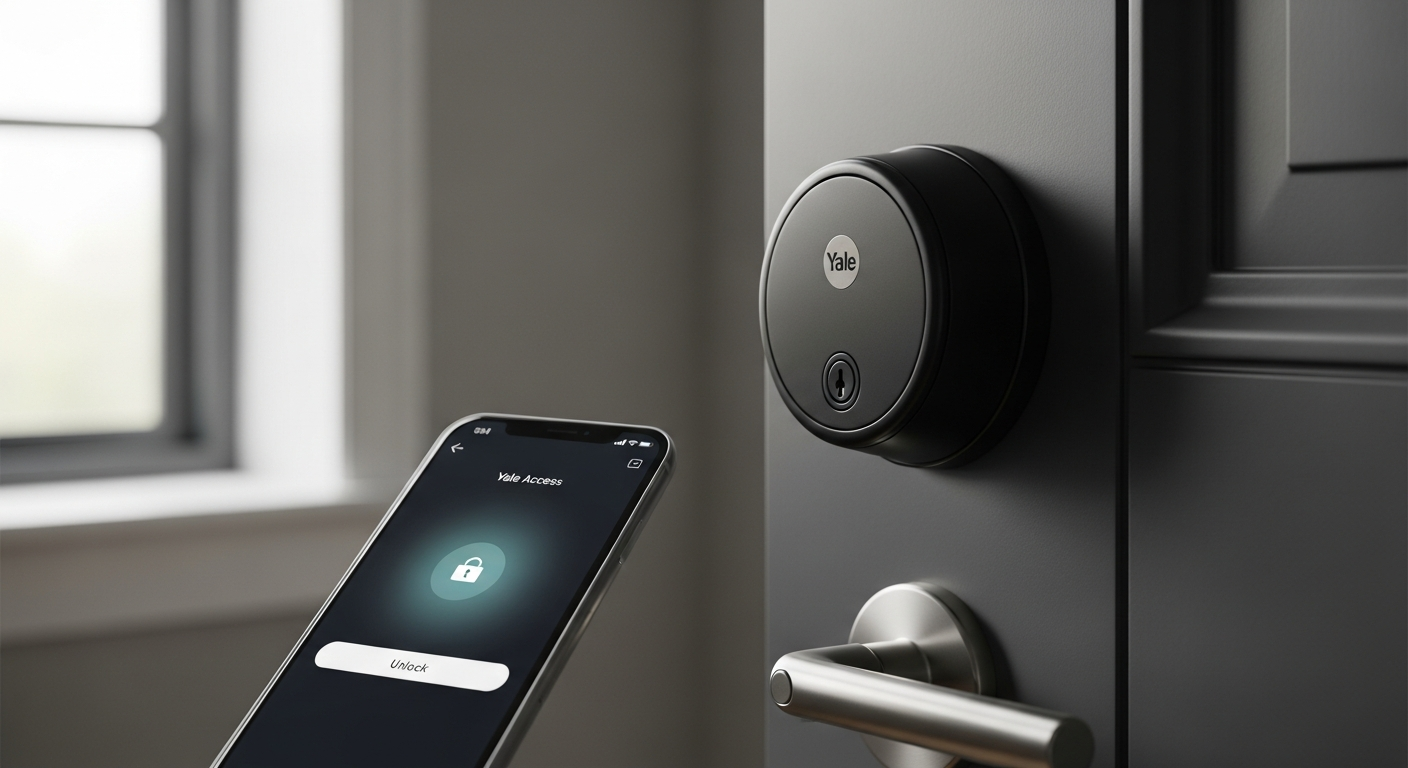

Smart locks have revolutionized home security, yet renters often feel left out of the conversation—stuck with landlord restrictions and the fear of losing their security deposit over unauthorized modifications. The Yale Assure Lock 2 Smart Deadbolt changes that narrative entirely, offering renters a premium, non-permanent smart locking solution that doesn’t require drilling holes or permanent installation.
I’ve seen firsthand how renters struggle to balance convenience with lease compliance, and this lock bridges that gap beautifully. The Yale Assure Lock 2 has earned its reputation as one of the most trusted smart locks on the market, but its appeal extends far beyond homeowners. For renters navigating the unique challenges of apartment living, this lock delivers security and modern convenience without the landlord drama.
Explore the Yale Assure Lock 2 and take control of your rental security today.
Why Renters Should Consider the Yale Assure Lock 2
The Yale Assure Lock 2 stands apart from other smart locks because it respects the renter’s unique position. You don’t own your space, yet you deserve to feel secure and maintain control over who enters your apartment. This lock delivers both without forcing you into a corner with your landlord.
Non-permanent installation means you’re swapping out your existing deadbolt without structural damage. When your lease ends, you simply reinstall your landlord’s original lock and take the Yale with you to your next place. No patches to fill, no explanations needed, and your security deposit remains safe. This reversibility changes everything for renters who’ve historically felt locked out of smart home upgrades.
The activity logs feature provides transparency you won’t find with traditional locks. You’ll see exactly who accessed your apartment and when—critical information if you’re renting to roommates, short-term guests, or managing an Airbnb. This visibility eliminates the mystery of unexpected entries and creates accountability for everyone with access to your space.
Key sharing becomes unnecessary with this lock. Instead of handing physical keys to guests, Airbnb visitors, or short-term roommates, you generate temporary PIN codes with expiration dates. Once their stay ends, the code dies too. No need to rekey the lock or worry about whether they returned their copy.
For furnished rentals or sublet situations where you’re not the primary leaseholder, the Yale Assure Lock 2 offers temporary security upgrades without requiring anyone’s permission. You control the lock during your occupancy, then restore the original setup before departing.
Renter-Friendly Installation Methods Explained
Installation flexibility is where the Yale Assure Lock 2 truly shines for renters. You have several pathways depending on your lease terms and comfort level with modifications.
Direct Deadbolt Replacement
The straightforward approach involves swapping your existing deadbolt with the Yale Assure Lock 2. Before proceeding, check your lease carefully. Most agreements allow deadbolt replacement as a maintenance activity rather than a “modification,” but wording varies by landlord. If your lease permits it or remains silent on the issue, this method takes roughly 15-20 minutes and requires no special tools beyond a screwdriver.
Temporary Mounting Solutions
If you want to minimize any potential friction with your landlord, adhesive-backed mounting hardware for the interior strike plate avoids screws entirely. This approach reduces permanent marks and leaves your entry pristine when you move. The lock itself still functions identically; you’re just eliminating the fasteners that might concern a landlord during move-out inspections.
Reversible Installation
The process of removing and reinstalling your original lock takes careful planning. Begin by photographing your landlord’s lock from multiple angles before installation—front, back, and side profiles showing the model and any distinguishing marks. These photos protect your security deposit by documenting the lock’s original state. When it’s time to move, reverse the installation steps in order, ensuring everything aligns and functions properly.
What to Document
Photography matters more than you might realize. Capture the original lock installed and working, showing it clearly in place on your door. Document the installation date of the Yale lock with a timestamped photo. Keep all original hardware and packaging—having the original lock available for reinstallation proves you never damaged anything.
Landlord Communication
Timing matters when notifying your landlord. Some renters wait until they give move-out notice, reducing any concerns about ongoing modifications. Others inform their landlord upfront, framing it as a security upgrade that doesn’t affect the property’s structure. Professional communication—”I’m installing a removable smart lock to improve security during my lease. I’ll reinstall the original lock before move-out”—works better than apologetic requests for permission.
Lease Clause Review
Read your rental agreement carefully, searching for terms like “modifications,” “alterations,” “security devices,” and “landlord approval.” Many leases permit reasonable security improvements that don’t damage the property. If your lease remains silent on smart locks specifically, that ambiguity can work in your favor, though clarity with your landlord prevents conflicts later.
Moving Day Checklist
Before handing over keys to your landlord, confirm the original lock reinstalls smoothly. Test all functions—lock and unlock cycles, smooth operation, no sticking. If any issue exists, address it before move-out day arrives. Document the reinstalled original lock with photos matching your pre-installation documentation. This visual record proves restoration to its original condition.
Get your Yale Assure Lock 2 installed and enjoy renter-friendly security.
Access Methods That Work Best for Renters
The Yale Assure Lock 2 offers multiple ways to unlock, and renters benefit significantly from this flexibility. You’ll never find yourself locked out, and guests never need physical keys.
Smartphone App Control
The mobile app grants temporary access to guests without handing over physical keys. This feature becomes invaluable when friends visit, packages arrive, or roommates need to access the apartment. You control everything from anywhere—grant access, set expiration times, and revoke permissions instantly if plans change.
Touchscreen Keypad
Creating unique PIN codes for roommates, partners, or visiting family provides accountability and flexibility. Each person gets their own code, so you know exactly who entered and when, thanks to activity logs. Codes remain active until you decide to disable them—perfect for long-term roommates or family members with regular access needs.
Apple Home Key
If you own an iPhone or Apple Watch, this feature eliminates the need to carry anything besides your phone. Unlocking works seamlessly through Apple HomeKit, whether you’re standing at your door or managing access remotely. For Apple ecosystem users, this represents the most convenient access method available.
Fingerprint Reader Models
Certain Yale Assure Lock 2 versions include fingerprint readers for rapid, secure access. You enroll your fingerprint once, then unlock by touching the reader. No codes to remember, no phone battery concerns, just quick biometric authentication. This method works particularly well for daily use when your hands are full.
Manual Key Override
The lock includes a traditional key override, maintaining your original key as a backup for emergencies. This safety net ensures you’re never truly locked out, even if your phone dies and you’ve forgotten your PIN. The key works exactly like your previous lock, providing familiar fallback security.
Guest Access Management
Setting expiration dates on temporary codes solves the common renter problem of managing transient access. Generate a code for an Airbnb guest valid only during their stay dates. When those dates pass, the code automatically stops working. You don’t need to remember to disable it, and the guest can’t suddenly show up unannounced after their reservation ends.
Activity Monitoring
The lock creates timestamped records of every access attempt and successful entry. You’ll see when roommates arrived home, when guests used their codes, and when anything unusual occurred. This transparency catches unauthorized access immediately and settles disputes about who was home when.
Managing Battery Life in a Rental Situation
Battery concerns often surface in renter conversations about smart locks. Understanding typical lifespan and optimization strategies prevents frustration during your lease term.
Typical Battery Lifespan
The Yale Assure Lock 2 typically runs 6-12 months on four AA batteries with normal use. This range depends on how frequently you use each access method, how many people share the lock, and your specific usage patterns. The lock will alert you when battery levels drop, giving you plenty of time to replace them before depletion.
Renter-Specific Drain Factors
Renters with frequent guest access, roommate situations, or Airbnb usage may experience faster battery drain. Each unlock via the app consumes battery, as do app notifications and Wi-Fi connectivity checks. High-traffic apartments see batteries deplete faster than single-occupant units. App-heavy users—constantly checking access logs or granting new codes—may notice reduced battery life compared to light users.
Battery Replacement Process
Replacing batteries requires no professional help or special knowledge. Open the interior cover, remove the four AA batteries, insert fresh batteries, and close the cover. The entire process takes two minutes. You maintain full access during replacement, with no downtime or lockout risk. Most hardware stores stock AA batteries, making replacements convenient and inexpensive.
Cost Implications
Budget approximately $5-10 annually for battery replacements, depending on battery quality and usage patterns. Over a multi-year lease, this cost remains negligible compared to the lock’s security and convenience benefits. Compare this to rekeying fees if you wanted to change your lock with a traditional setup—that costs $75-150 each time.
Notification System
The lock actively monitors battery levels and alerts you through the app when voltage drops below critical thresholds. You’ll receive warnings well before the batteries actually die, eliminating surprise lockouts. This proactive notification gives you days or weeks to procure replacement batteries before the lock stops functioning.
Preventing Lock-Outs
If batteries die before you replace them, the manual key override provides emergency access. You can still open the lock with your physical key, then immediately swap fresh batteries inside. The lock never leaves you stranded, though you’ll want to avoid reaching this point by responding to battery alerts promptly.
Battery Optimization Tips
Reducing unnecessary app checks extends battery life noticeably. Disable push notifications if constant updates aren’t essential. Minimize Wi-Fi connectivity when a bridge or hub isn’t necessary for your needs. Limit how frequently you grant new access codes if that action isn’t critical. These adjustments can stretch battery life from 8 months to a full year, reducing replacement frequency.
Smart Home Integration for Renters
The Yale Assure Lock 2 connects to major smart home ecosystems, allowing integration without permanent installation concerns.
Apple HomeKit Setup
Creating a HomeKit-enabled smart home doesn’t require owning your space. Set up a secure home hub using an iPad, HomePod, or Apple TV, then add the Yale lock to HomeKit. Control and monitor your lock remotely, receive notifications when entries occur, and use Siri voice commands—all without landlord involvement. HomeKit’s encrypted approach keeps your data secure even in shared rental buildings.
Amazon Alexa Voice Control
Connect the Yale Assure Lock 2 to Alexa for voice-activated unlocking. Say “Alexa, unlock my front door” and the lock responds instantly. This convenience works throughout your apartment, even when your hands are full or you’re in another room. Alexa integration also enables routine automation, triggering other smart devices when you arrive home.
Google Assistant Compatibility
Google Home users can integrate the Yale lock for voice commands and routine automations. Schedule the lock to engage at specific times, create conditional automations based on location or time of day, and monitor activity through the Google Home app. Renter-specific routines make sense—set a “Leaving Home” routine that locks your door automatically when you leave for work.
Wi-Fi vs. Bridge Requirements
Many Yale Assure Lock 2 models include built-in Wi-Fi, eliminating the need for a separate bridge or hub. Renters benefit from this feature since installing bridges requires router access you might not control in shared buildings. Check your specific model before purchasing; if it includes Wi-Fi, you’ll have immediate smart home connectivity without additional hardware.
Temporary Automation Rules
Renter situations often call for temporary automation rather than permanent routines. Set a schedule that makes sense for your lease term—perhaps your lock engages at 10 PM nightly during your occupancy. When you move out, delete the automation and take your setup with you. This impermanence aligns perfectly with rental living.
Privacy Considerations
Smart locks transmit data to cloud servers, raising privacy questions in multi-unit buildings. Yale’s encryption protects your activity logs, but be aware that smart home data exists in the cloud. Review privacy settings in each platform (Apple, Amazon, Google) to confirm you’re comfortable with their data handling. Choose which platforms to use based on your privacy comfort level.
Moving Your Setup
When you relocate to a new rental, remove the Yale lock from your current smart home ecosystem, then add it to your new setup at the next apartment. Your access codes, automation rules, and preferences migrate with you. This portability means you’re not leaving smart home infrastructure behind—you’re taking it forward to your next place.
Cost Analysis for Renters vs. Homeowners
The Yale Assure Lock 2 costs between $199.99 and $220, a premium investment that demands evaluation for rental situations.
Upfront Investment
The purchase price represents your initial commitment. For a year-long lease, this breaks down to approximately $17-18 monthly. For a two-year lease, the monthly cost halves. For shorter six-month rentals, the monthly cost jumps to roughly $33-37, making value assessment crucial before committing.
ROI for Short-Term Renters
Six-month renters should carefully calculate whether the security and convenience justify the upfront cost. If you manage Airbnb guests frequently, the elimination of physical key exchanges might offset the investment quickly. For traditional apartment renters with minimal access management needs, shorter leases create less compelling ROI.
One-year renters typically find strong value, especially those sharing apartments or managing frequent guest access. The convenience compounds over twelve months, and the ability to take the lock to your next place preserves its value.
Multi-year renters experience the strongest ROI, spreading the investment across 24-36 months and enjoying extended security and convenience benefits. If you stay somewhere longer, this investment pays dividends.
Comparison to Traditional Locks
Traditional locks provide basic security but zero convenience flexibility. You can’t grant temporary access without distributing keys. You can’t monitor who entered your apartment. You can’t unlock remotely. Upgrading to a traditional deadbolt costs $20-50 but offers no advanced features. The Yale Assure Lock 2’s premium covers functionality that traditional locks simply cannot provide.
Potential Resale Value
The Yale Assure Lock 2 holds resale value reasonably well. You can sell it on secondhand markets—Facebook Marketplace, eBay, or Craigslist—for $100-150, recovering a significant portion of your investment when you move. Some renters even negotiate with their landlords to leave the lock installed, creating a financial offset for the next tenant.
Hidden Costs
Battery replacements cost $5-10 annually but represent the primary ongoing expense. No app subscriptions are required for basic functionality, though premium smart home ecosystem integrations (HomeKit, Alexa, Google Home) may involve existing subscriptions. Potential reinstallation issues when moving rarely exceed $20-30 if professional help becomes necessary.
Rental Market Trends
Smart locks are becoming increasingly common in modern apartment buildings. Some new construction includes them as standard features, and landlords recognize their appeal to renters. This trend suggests that your investment in a portable smart lock positions you well for future rentals, where smart lock compatibility might become expected.
Lease Negotiation Angle
Savvy renters use smart lock installation as a negotiation point during lease discussions. Offering to install a smart lock that benefits both parties—security for you, property value and appeal for your landlord—can facilitate agreement on installation. Some landlords appreciate renters who upgrade security without requiring landlord investment.
Common Renter Concerns and Solutions
Renters worry about real issues related to smart lock installation. Understanding how to address these concerns protects both your interests and your security deposit.
Security Deposit Risk
The primary concern for renters is losing security deposit money over lock modifications. Protect yourself by documenting the original lock condition extensively before any installation. Take clear, dated photos showing the original lock installed and functioning. Keep all original hardware in a labeled box. When moving, test the original lock’s operation thoroughly and photograph the reinstalled lock in its original position. This documentation prevents deposit disputes by proving you restored everything to its original condition.
Landlord Liability Questions
Clarify with your landlord whether they hold any liability if the smart lock malfunctions. Most landlords appreciate that they bear no responsibility for devices renters install independently. Document this understanding in writing—a simple email stating “I’m installing a removable smart lock that I maintain and own. You bear no liability for its operation or maintenance” creates a paper trail protecting both parties.
Compatibility with Rental Building Systems
Some older apartment buildings have secured entry systems that might conflict with smart lock technology. Before purchasing, test whether your building’s intercom, security gate, or access control system works with the Yale lock. Most modern systems present no issues, but older buildings occasionally do. Ask your landlord or building management about any potential conflicts.
Removal and Reinstallation
Removing and reinstalling your original lock can present challenges if the mechanism has shifted or corroded during your occupancy. Test the reinstallation process well before move-out day, allowing time to address any problems. If the original lock won’t operate smoothly, consult a locksmith before your move-out inspection to ensure the mechanism functions properly without damage claims.
Warranty Coverage
The Yale Assure Lock 2 comes with manufacturer’s warranty covering defects in materials and workmanship. Understand what’s covered—manufacturing defects typically are, while physical damage or abuse typically aren’t. Register your lock with Yale to ensure you receive warranty benefits if issues arise during your lease term.
Neighbor Privacy
Smart locks in multi-unit buildings raise privacy questions for neighbors. Some residents worry about surveillance or unauthorized access. Address these concerns by being transparent with neighbors, explaining that your smart lock only grants access to people you authorize. Avoid discussing access codes or guest schedules, maintaining security through discretion.
Lease Termination Scenarios
When your lease ends, you have three options: remove the lock and take it with you, negotiate leaving it installed for the next tenant, or remove and sell it independently. Each scenario requires advance planning. If removing, ensure the original lock reinstalls properly. If leaving the lock, negotiate compensation or a rent reduction for the upgrade. If selling, find a buyer before your move-out date.
Real Renter Experiences and Use Cases
Understanding how actual renters use the Yale Assure Lock 2 reveals practical benefits beyond the marketing materials.
Apartment Dweller Success Stories
Sarah, a renter in a major city, simplified her daily routine dramatically. Her hands constantly held groceries, laundry, or packages—her phone in her pocket was the only key she needed. Rather than juggling physical keys, she unlocked her apartment with Apple Home Key, her hands never leaving her bags. The convenience proved transformative.
Another renter, Marcus, shared his apartment with rotating roommates over a two-year lease. Rather than making and distributing new physical keys each time someone moved, he assigned each roommate a unique PIN code. When they moved out, he disabled the code instantly. The activity logs showed him exactly when each roommate arrived and left, eliminating disputes about household responsibilities and overnight guests.
Airbnb Host Perspective
Jennifer runs a short-term rental—her furnished apartment listed on Airbnb when she travels for work. The Yale Assure Lock 2 eliminated the complicated key management she previously endured. Guests receive their unique code, valid only during their stay. No waiting for cleaning crews to return keys. No worrying about lost copies. No unexpected visitors after checkout. She manages everything remotely, checking activity logs and confirming guests departed on schedule.
Roommate Situations
Roommate conflicts over key distribution disappeared for renters who installed the Yale lock. Each roommate received their own PIN code, settling disagreements about whether someone had returned their key. The activity logs provided transparency about household patterns. If someone misplaced their key, generating a new code took thirty seconds rather than requiring a locksmith callout.
Long-Distance Rental Management
Some renters rent their apartments to others while living elsewhere temporarily. The Yale Assure Lock 2 enabled remote management impossible with traditional locks. They generated temporary codes for subletting tenants, monitored access remotely, and revoked codes instantly if issues arose. The activity logs proved invaluable for settling disputes about occupancy and access.
Emergency Access Scenarios
When emergencies arise—family members needing access, lost keys, locked roommates—the Yale lock provided solutions. Rather than calling a locksmith ($100-200 service fee), renters granted temporary codes instantly. One tenant’s partner got locked out unexpectedly; the renter sent a temporary code via app from their office, solving the problem without emergency services.
Lease Renewal Decisions
Many renters who installed the Yale Assure Lock 2 kept it when renewing their leases, integrating it more thoroughly into their smart homes. Others moved to new apartments and reinstalled it immediately, appreciating the continuity of their security setup. Few renters regretted the investment, particularly those remaining in their apartments longer than one year.
Comparative Experiences
Renters comparing the Yale Assure Lock 2 to alternatives like August Smart Lock or Level Lock consistently cited the Yale’s simpler installation and better smart home integration. Its sleek design avoided the bulky appearance of some competitors. The activity logs and access control features made it particularly appealing for shared living situations common among renters.
Making the Switch: Renter Action Plan
Transitioning to the Yale Assure Lock 2 requires deliberate steps ensuring smooth installation and compliance with lease terms.
Pre-Installation Checklist
Before any installation work, complete preliminary tasks. Read your lease thoroughly, identifying any clauses about locks or modifications. Note your landlord’s contact information. Document your current lock with detailed photographs—front, back, and sides. Measure your door thickness and verify the Yale lock fits your deadbolt hole. Confirm your smartphone is compatible with the Yale app (iOS 13+ or Android 8.0+). Check your Wi-Fi signal strength near your front door if considering Wi-Fi models.
Choosing the Right Model
The Yale Assure Lock 2 comes in several variants. Decide whether you need built-in Wi-Fi (simplifies smart home integration but costs more) or if a bridge-based model suffices (cheaper but requires additional hardware). Consider whether fingerprint reader capability matters to your household. Evaluate whether Apple Home Key support aligns with your devices. Balance features against your actual needs rather than purchasing maximum capability you won’t use.
Installation Timeline
Actual installation typically takes 15-20 minutes once you’ve prepared. Plan the installation for a time when you’re unhurried—a weekend morning rather than a weeknight rush. Give yourself an extra hour for troubleshooting if you’re unfamiliar with basic tools. Schedule the reinstallation of your original lock before your move-out date, confirming it operates smoothly.
Testing All Access Methods
After installation, test every access method before relying on it daily. Verify the app-based access works from various locations. Test your PIN code. Try the physical key override. If you have Apple Home Key support, ensure it authenticates correctly. Test any fingerprint reader functionality. Confirm activity logs capture these test entries. This comprehensive testing confirms everything works before emergencies occur.
Setting Up Activity Logs
Enable activity logs and confirm you’re receiving notifications. Understand how to review access history through the app. Set notification preferences—decide whether you want alerts for every entry or only anomalies. Confirm which time zone the logs use (critical for accuracy). Review the activity log regularly during your first week to familiarize yourself with the data format.
Communicating with Roommates
If you have roommates, establish ground rules for smart lock usage before installation. Clarify expectations about PIN codes—should they keep their code secret, share it with partners, or change it regularly? Explain the activity logs exist and show what information is recorded. Establish consequences for code sharing or improper access management. Create household harmony through clear expectations.
Planning Your Exit
Before your lease ends, plan the removal and reinstallation timeline. Schedule reinstallation of the original lock at least one week before move-out, allowing time for corrections if issues arise. Confirm the original lock operates smoothly. Document the restoration with photographs matching your pre-installation documentation. If selling the Yale lock, find a buyer weeks in advance rather than last-minute, ensuring the sale completes before your move.
Moving Forward with Your Rental Security
The Yale Assure Lock 2 Smart Deadbolt transforms the renter experience by delivering enterprise-grade security without the permanent commitment. You gain control over your living space, eliminate key-sharing headaches, and monitor who enters your apartment—all while staying compliant with your lease. The flexibility of multiple access methods means you’re never locked out, and the activity logs provide transparency that traditional locks simply can’t match.
What makes this lock particularly compelling for renters is its reversibility. You’re not stuck with a decision that damages your security deposit or requires landlord approval. Install it today, remove it tomorrow, and take it with you to your next place. The $199.99-$220 investment pays dividends through peace of mind, convenience, and the ability to grant temporary access to guests without distributing physical keys.
If you’re a renter tired of key management chaos and security concerns, the Yale Assure Lock 2 deserves serious consideration. Start by reviewing your lease agreement, documenting your current lock, and deciding which access method matters most to your daily routine. Your next step?